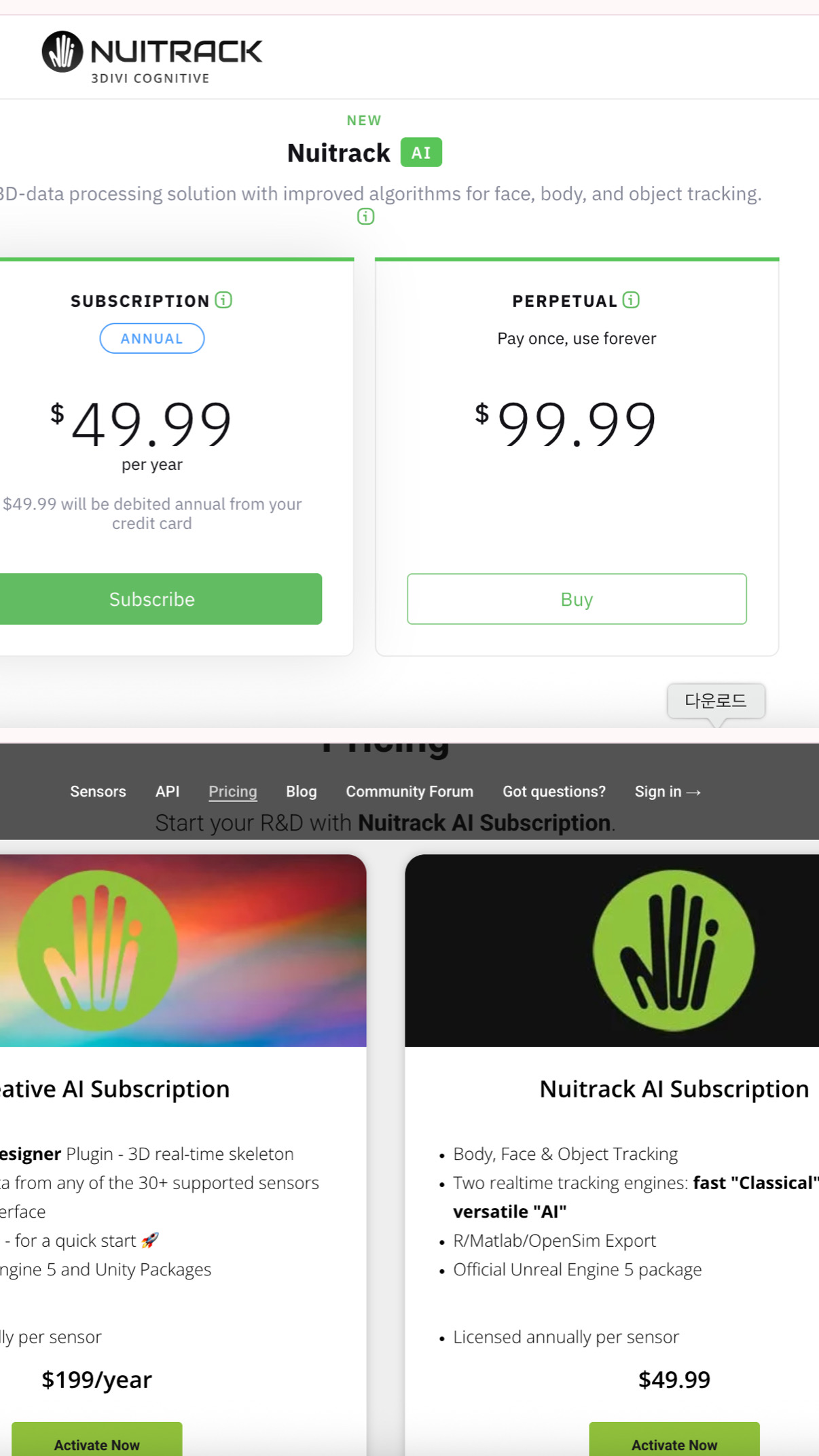
I am currently conducting research on tracking user movements in an XR environment. In this context, we aim to use the Unity engine and Azure Kinect to track user motion in real time. I understand that a Nuitrack license is required for this.
I have one question regarding the difference between the two licenses listed below. I would appreciate it if you could clarify this, as it will help us decide which one to purchase.
Additionally, I have a couple of further questions:
For Unity, you can purchase any of the listed licenses. The differences between them are as follows:
Subscription: Not tied to a specific sensor; it can be transferred. Requires an internet connection at least once a day.
Perpetual License: Tied to a specific sensor; once activated, it cannot be transferred to another sensor. Does not require an internet connection.
Creative AI Subscription: Provides access to TouchDesigner; works like a subscription, but is not relevant for you.
If we purchase a license, will we be able to use the Unity SDK APIs provided via Git?
Yes. The latest version of the Unity package is available at the link v0.38.4/NuitrackSDK.unitypackage(It is compatible with the latest version of Nuitrack 38.5)
Is it possible to save users’ real-time skeleton data as a CSV file within Unity?
We don’t have a sample or script for Unity, so you’ll have to export the data to CSV yourself.
The closest thing we have is Unity_Animation_Recording
Note: If you want to use UE5, it is not available as a perpetual license
Thank you for your response! We have identified the license type that fits our requirements.
I have one additional question: you mentioned that there is no built-in function to save skeleton coordinate data as a CSV file. In that case, is there an API that allows access to those coordinate values? If I can access the data, I can implement the CSV logging functionality myself.
You can certainly do it yourself if you need it specifically in Unity. Here’s the simplest example of retrieving skeleton data in C#; you can find something similar in the Unity package.
We also have a built-in feature for saving the skeleton to Nuitrack.exe, which operates under a subscription license. Please make sure the data provided meets your needs.
Could you also clarify why you want to save the skeleton to a CSV file? How do you plan to use this data? for analysis in OpenSim? What kind of data do you need – just projective coordinates, or real coordinates with an orientation matrix?