Hello, I’m trying to get Nuitrack to read .bag files (from camera D455) and recognize skeletons, but my Python code exits without any error when running nuitrack.get_license() or get_modules(). I have already added nuitrack.set_config_value("Realsense2Module.FileRecord", "E:/CameraData/test1_TUG.bag") after nuitrack.init() in the sample code.
I am using the latest versions of Nuitrack, the Nuitrack SDK, the Intel RealSense SDK, and Librealsense. I have confirmed that my .bag file can play smoothly in the Intel RealSense Viewer. Additionally, I am using the free trial of Nuitrack (with a 3-minute limit) and it works fine with the camera plugged in. Is there any solution to this issue? Thank you.
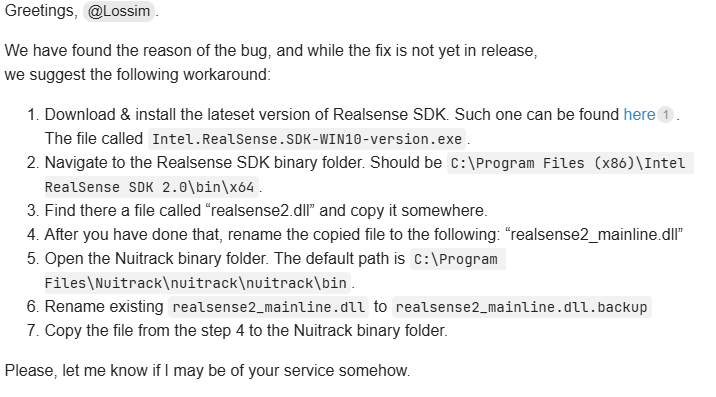
P.S. I noticed that the problem I’m encountering is very similar to another post Python exiting at nuitrack.get_license() or get_modules() with Intel L515 bag file - Nuitrack SDK / Reporting Software Issues - Nuitrack, but the method suggested in the comments of that post (as shown in the image) didn’t work for me.